

Sycor.Rental Spring-Release 2026:
AI support and more efficient service processes
With the Spring Release 2026, Sycor.Rental sets new standards for digital rental processes. This update delivers exactly what rental companies need today: reliable decisions at the touch of a button, noticeable relief in day-to-day operations, and future-proof processes.
The focus is on three key areas of innovation:
- Equipment Profitability
- AI Support in Sales
- Enhancements for Workshop and Service
Equipment Profitability: Financial Performance at a Glance
Which pieces of equipment are profitable? Where do costs arise? Where is an investment worthwhile, and where is it not? With the new Equipment Profitability feature, Sycor.Rental provides clear answers.
Costs and revenues are systematically consolidated, margins are automatically calculated, and the results are clearly presented. Thanks to flexible configuration, the information can be individually adapted to different business models based on cost types, general ledger accounts, and reports.
Furthermore, Equipment Profitability serves as a central database for BI analyses: While detailed reports are available directly in Sycor.Rental, the data can be transferred to existing BI environments for comprehensive, strategic analyses.
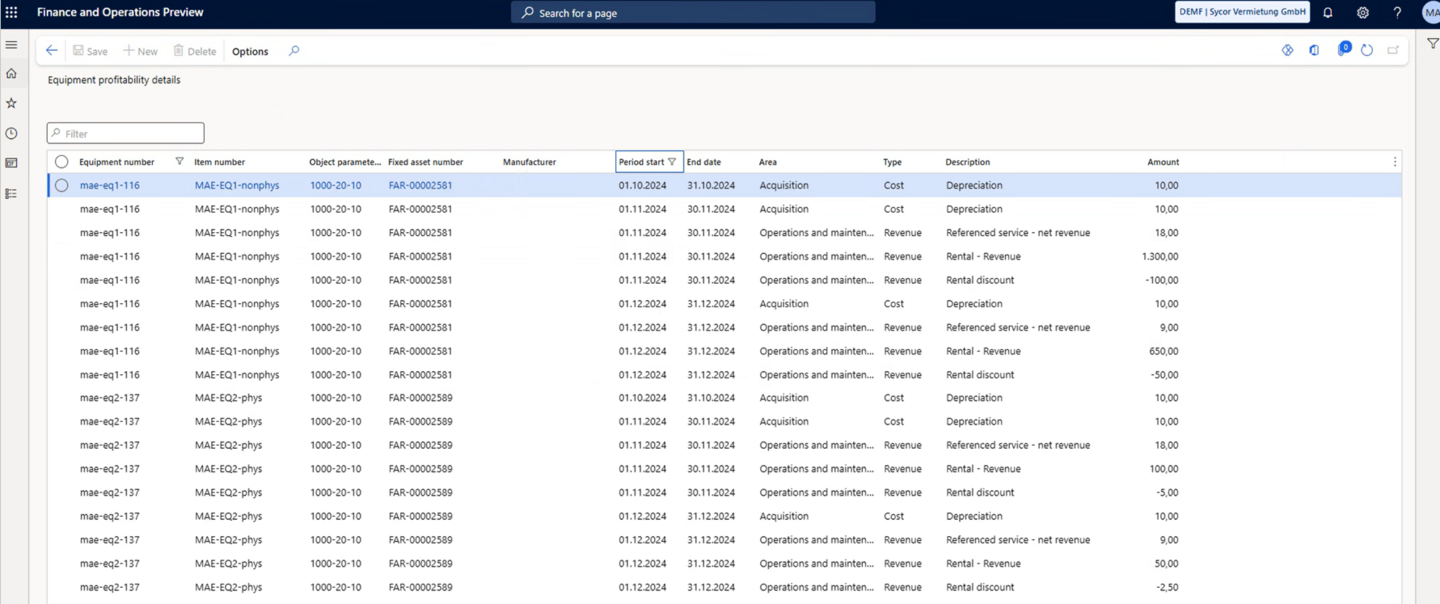
Figure 1: Device profitability details as a data source for future BI analyses.
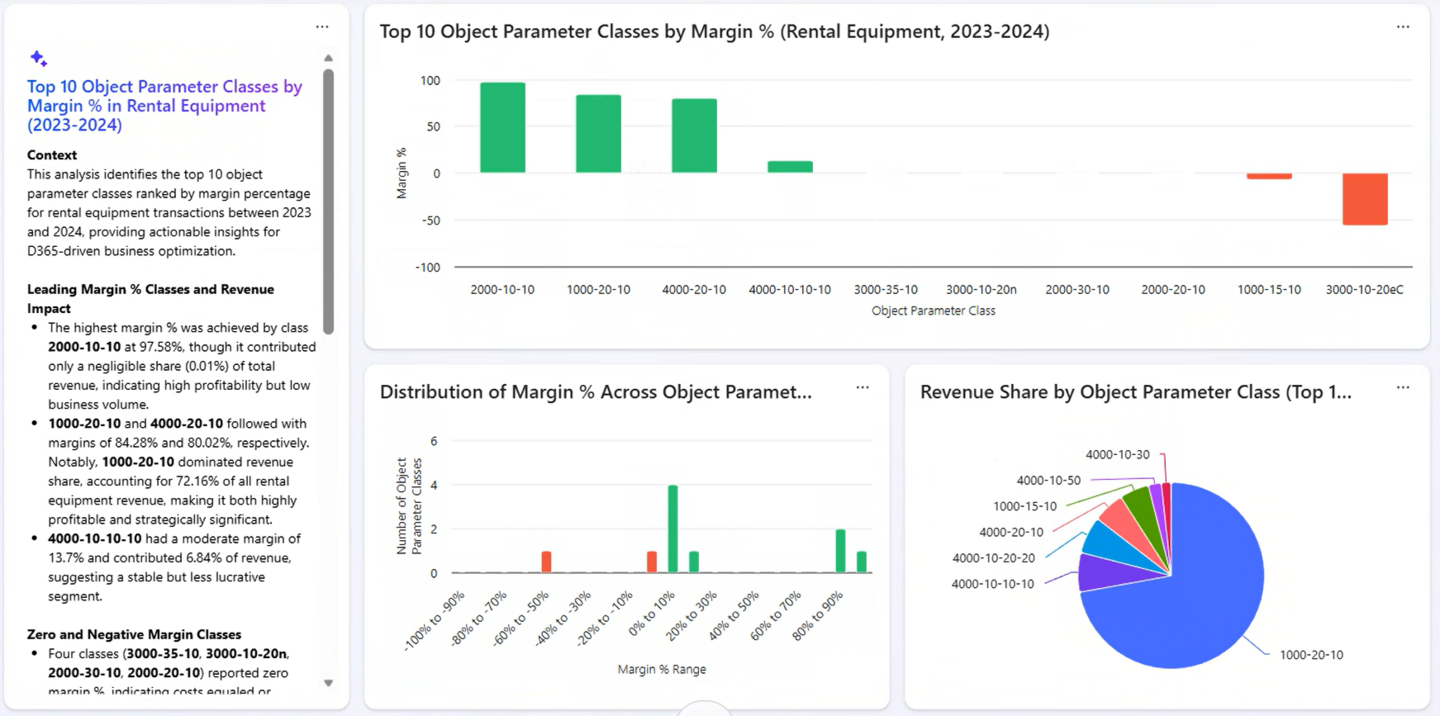
Figure 2: Example of a margin analysis for a rental item based on its attributes in Microsoft Project Sophia.
Artificial Intelligence in Sales: Respond Faster. Sell Better.
With the Spring Release 2026, artificial intelligence is being integrated into Sycor.Rental’s core sales processes.
In the future, sales representatives will be able to use Copilot Chat to check equipment availability and create orders via text or voice input—directly from their smartphone, laptop, or desktop—without having to actively work in the ERP system. Whether in the office, on the go, or at a customer’s location: processes become faster, simpler, and significantly more user-friendly.
The result:
- shorter response times
- higher chances of closing deals
- satisfied customers and relieved teams
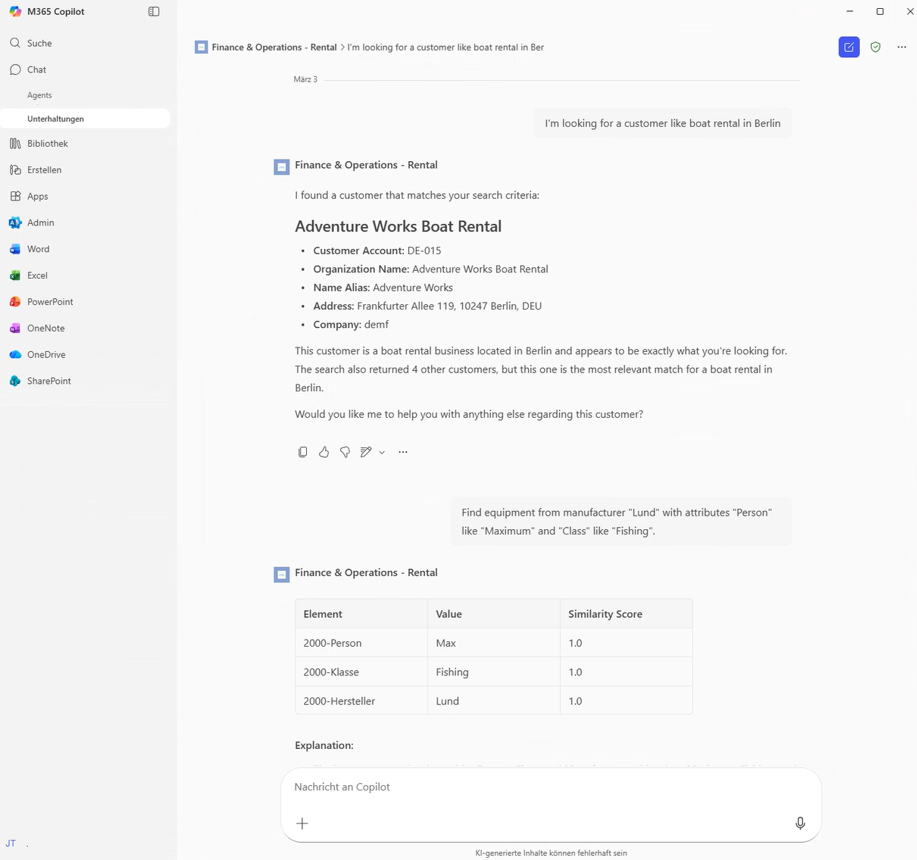
Figure 3: Searching for customers using text input in Microsoft 365 Copilot
AI-powered document management with PIKO: Less effort, greater clarity
Another AI-related feature is the integration of Alias2K's AI-supported document management software PIKO (see also Piko: KI-Dokumentenmanagement | Alias2k).
The aim of this integration is not only to connect equipment and document processes, but also to make them seamless, efficient, and future-proof.
What does this mean in concrete terms?
When an equipment is newly created in Sycor.Rental, it is automatically created in PIKO in the background – quickly, reliably, and without additional manual effort. Documents stored in PIKO, such as CE declarations of conformity, are then directly available in Sycor.Rental for the respective device. This eliminates redundant storage, ensuring data consistency and transparency at all times.
Another highlight: Emails or text messages can be sent to rental customers from Sycor.Rental to enable temporary access to the relevant equipment documents in PIKO during the rental period. This gives customers exactly the information they need – securely, conveniently, and without the user having to switch between systems.
The result is a consistent, seamless process with maximum efficiency and clear responsibilities. Internal teams benefit from simplified workflows and reduced administrative effort, while customers have access to up-to-date and relevant documents at all times. A real added value for everyone involved.
- Quality Orders, nicht Quality Inspection Orders
- Employee activities, nicht Employee tasks
Workshop & Service: Better Overview, Improved Planning, Smooth Operations
With the Spring Release, workshop and service functions have been specifically enhanced to significantly simplify operational processes.
Integrated Quality Inspection Orders
Quality inspection orders (e.g., for UVV or recurring inspections) are now directly integrated into workshop orders. Both ad hoc and automatically generated inspection orders can be assigned to a workshop order. The corresponding checklists are also available in the mobile app.
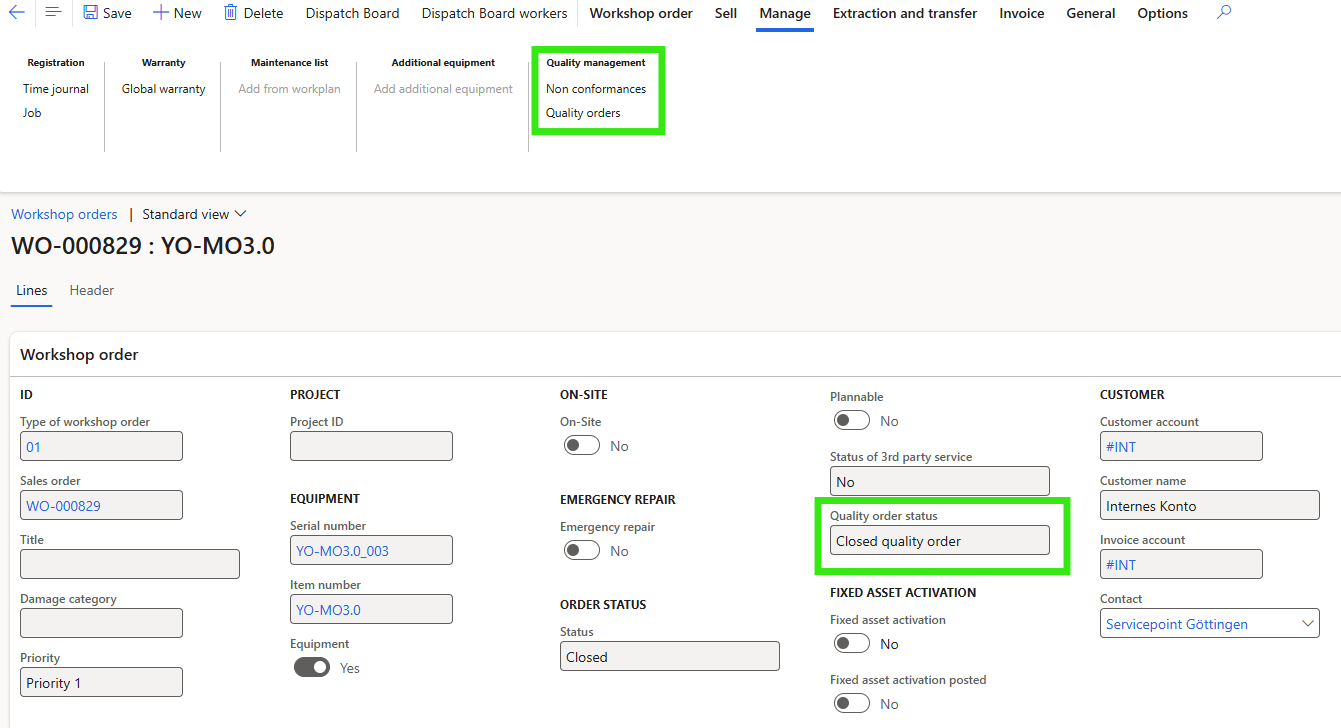
Figure 4: Quality inspection orders can be accessed from the workshop order, and the status of the quality inspection order is immediately visible
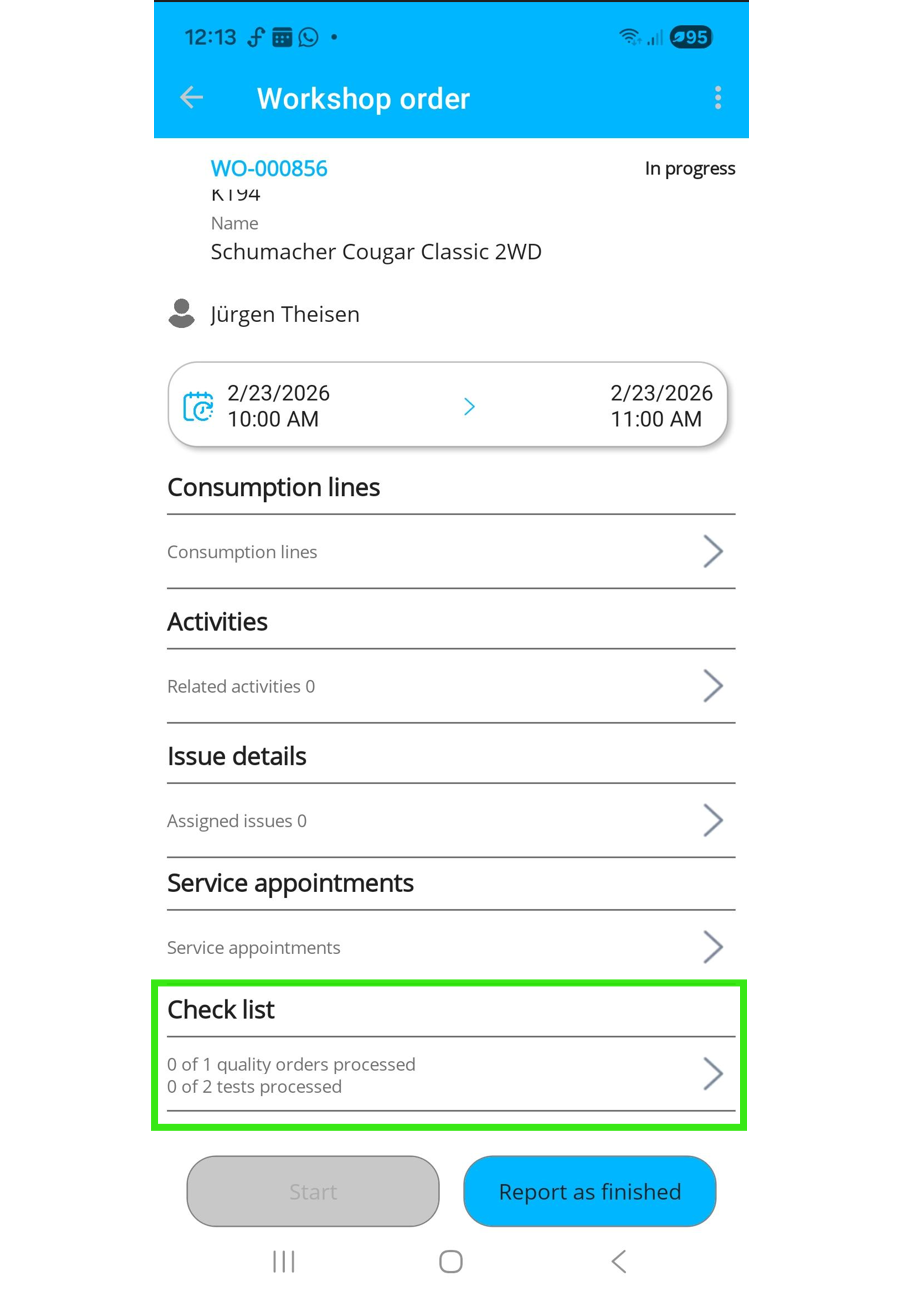
Figure 5: The checklists for quality inspection orders are available in the mobile app
Priorities for Workshop Orders and Employee Tasks
Workshop orders can now be prioritized. These priorities can optionally be assigned to associated employee tasks and are highlighted in color on both the scheduling dashboard and the mobile app. This allows tasks to be clearly structured and managed effectively.
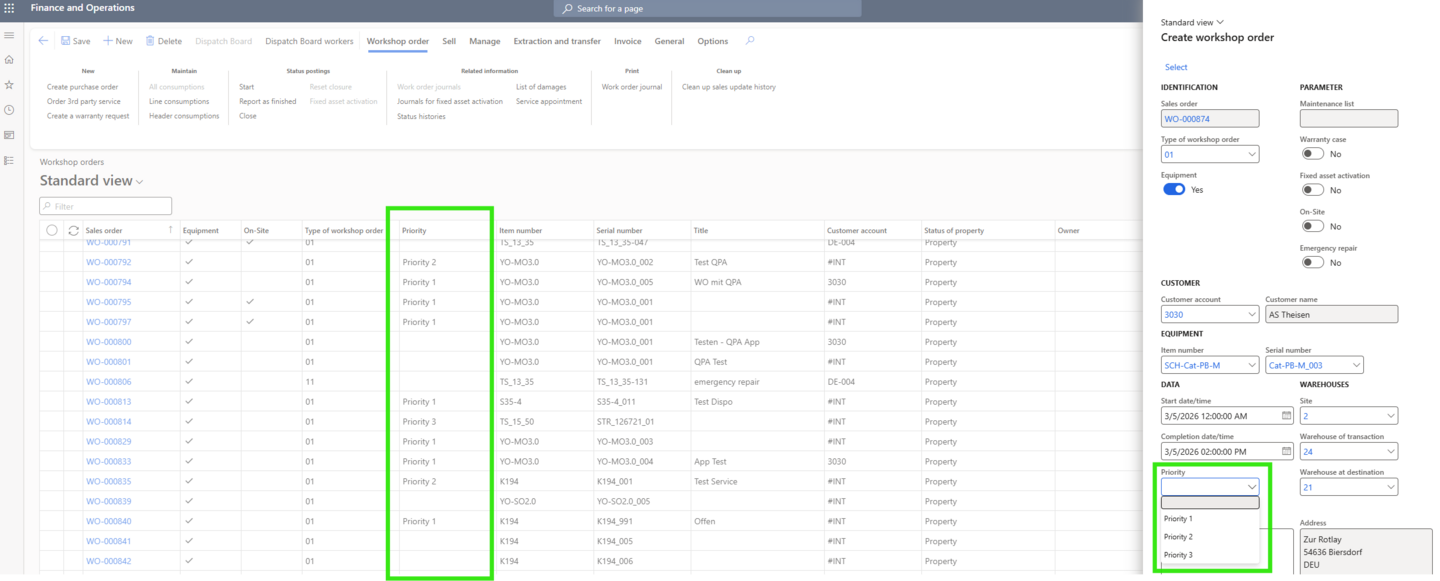
Figure 6: Priorities for workshop orders can be set when creating an order
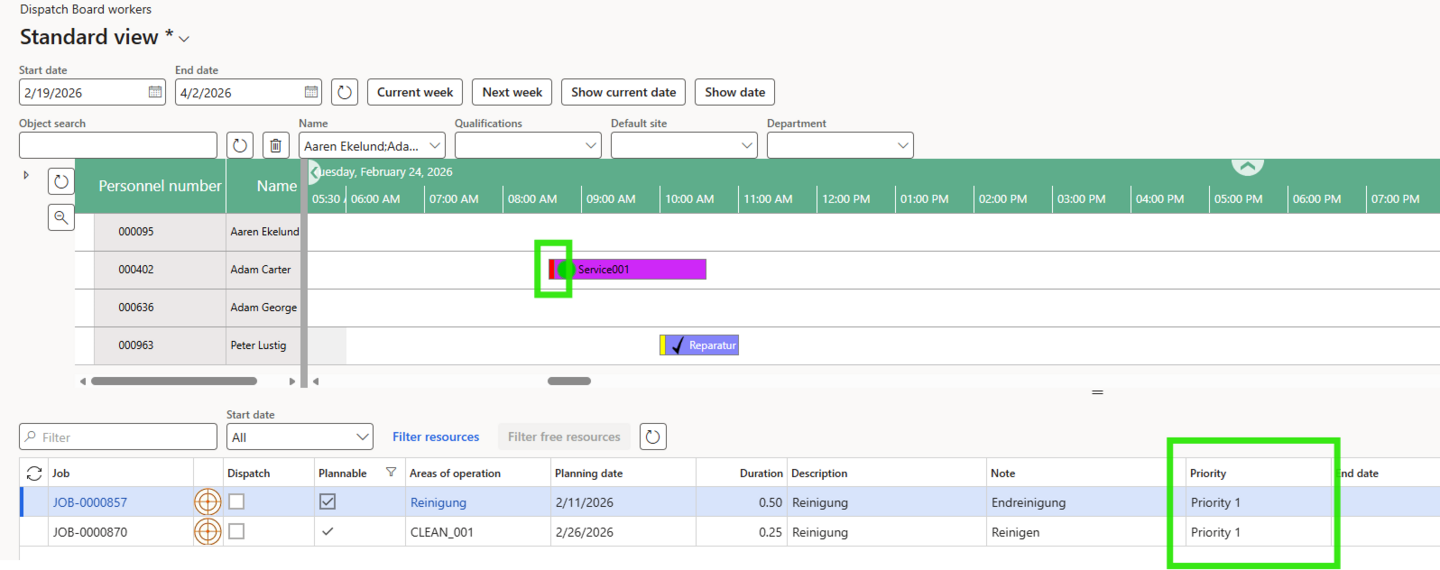
Figure 7: The priorities of employee tasks can also be color-coded on the dispatch board
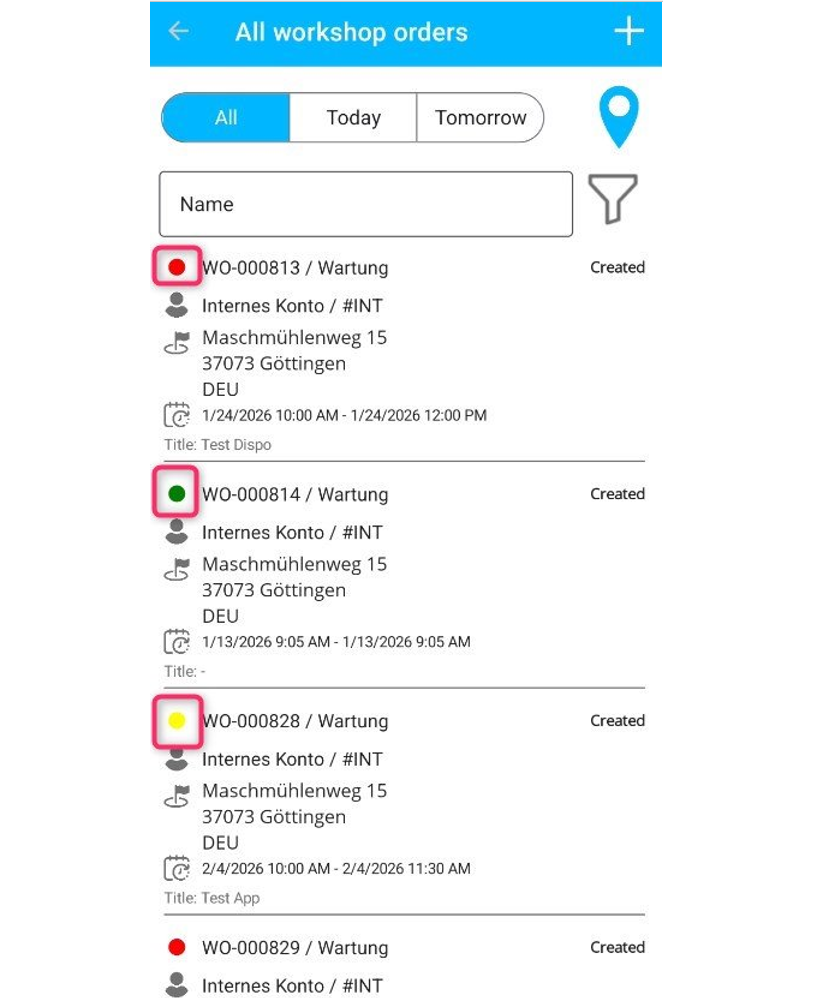
Figure 8: In the mobile app, the priorities of workshop orders can be visually represented using colors
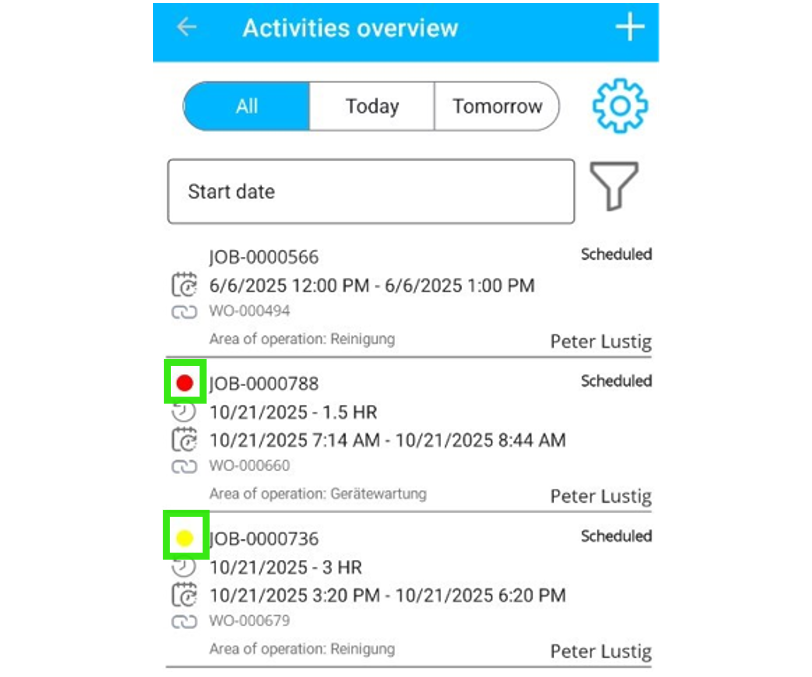
Figure 9: In the mobile app, job priorities can be visually represented using colors
“plannable” Flag for Improved Scheduling
Workshop orders can now be marked as “plannable” as soon as all required consumable parts are available. This flag is visible on the scheduling board and significantly simplifies staff scheduling, particularly for longer-term orders.
In addition, the new equipment scheduling date type “Workshop Order – Completed” provides even greater clarity: Completed orders are clearly distinguishable from open tasks and can be identified at a glance.
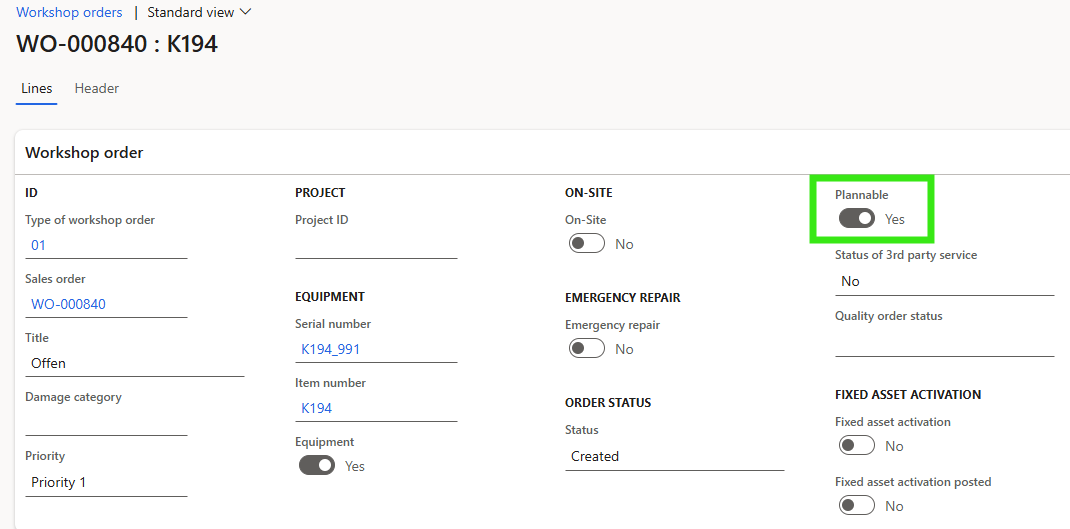
Figure 10: “plannable” flag on the workshop order to “release” it for staff scheduling
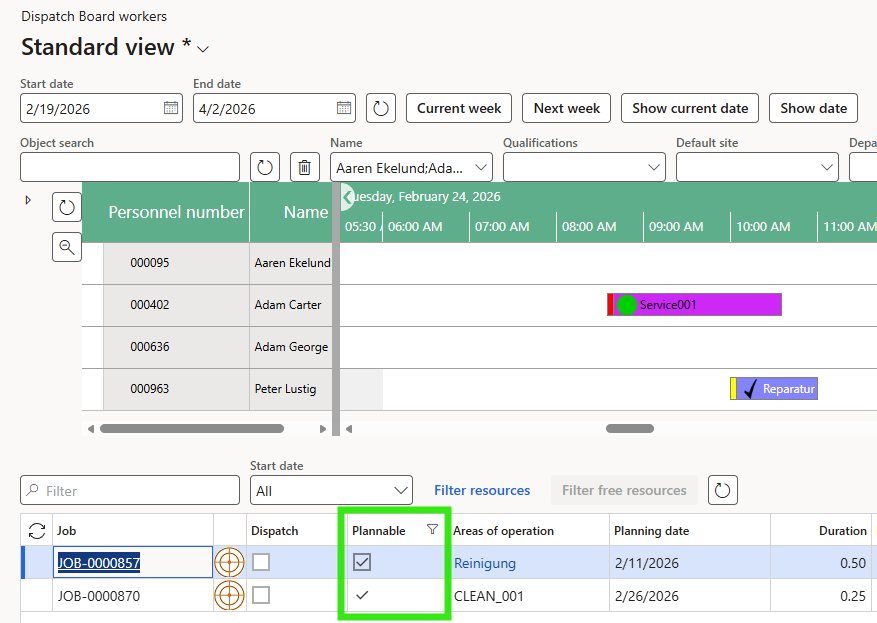
Figure 11: The “plannable” indicator on the dispatch board shows which orders can be processed because all required materials are available
On-Site Workshop Orders and Emergency Repairs
Workshop orders can now be created directly at the current rental location and carried out on-site, even during an ongoing rental period. The new “On-Site Repair” designation simplifies the setup process and reduces the need for manual transfer entries.
For cases where damage cannot be repaired immediately on site, the Emergency Repair function is now available. This creates a workshop order that is automatically executed when the equipment is returned. The equipment is removed from further rental planning, allowing repairs to be scheduled in advance and delays to be avoided.

Our partners
All partners